
smallcaps元素自始可用
以小型大写字母显示文本。
示例
Hello \
#smallcaps[Hello]
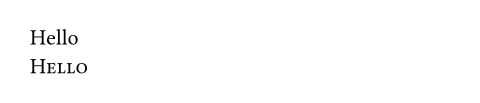
小型大写字体[⚠️]
默认情况下,这使用字体上的smcp和c2scOpenType 功能。并非所有字体都支持这些功能。有时,小写大写字母是专门字体的一部分。例如,Latin Modern 字体系列就是这种情况。在这些情况下,您可以使用show-set规则来自定义小写大写字母文本的外观: [⚠️]
#show smallcaps: set text(font: "Latin Modern Roman Caps")在将来,这个函数将支持从普通字母合成小写大写字母,但目前尚未实现。 [⚠️]
小型大写字母标题[⚠️]
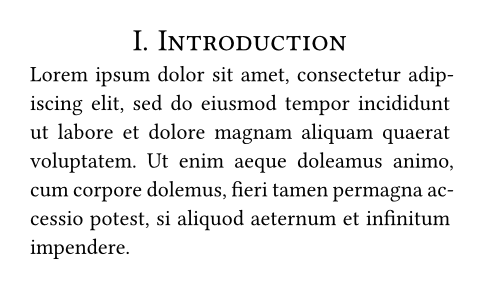
您可以使用show规则将小型大写字母格式应用于所有标题。在下面的示例中,我们还居中对齐标题并禁用标准粗体字体。 [⚠️]
#set par(justify: true)
#set heading(numbering: "I.")
#show heading: smallcaps
#show heading: set align(center)
#show heading: set text(
weight: "regular"
)
= Introduction
#lorem(40)
参数
all默认值:false
是否也将大写字母转换为小写大写字母。
除非被show规则覆盖,否则这会启用OpenType特性c2sc。 [⚠️]
 展开示例
展开示例
#smallcaps(all: true)[UNICEF] is an
agency of #smallcaps(all: true)[UN].

body
要显示的小写大写字母内容。 [⚠️]