
list元素自始可用
A bullet list.
Displays a sequence of items vertically, with each item introduced by a marker.
Example
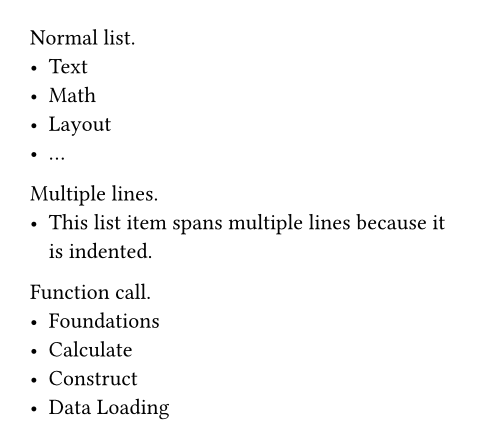
Normal list.
- Text
- Math
- Layout
- ...
Multiple lines.
- This list item spans multiple
lines because it is indented.
Function call.
#list(
[Foundations],
[Calculate],
[Construct],
[Data Loading],
)
Syntax
This function also has dedicated syntax: Start a line with a hyphen, followed by a space to create a list item. A list item can contain multiple paragraphs and other block-level content. All content that is indented more than an item’s marker becomes part of that item.
参数
tight默认值:true
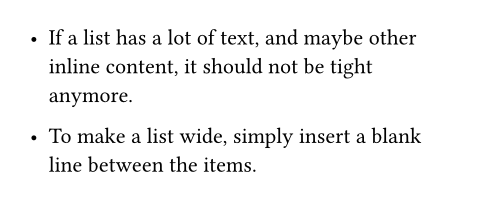
Defines the default spacing of the list. If it is false, the items are spaced apart with paragraph spacing. If it is true, they use paragraph leading instead. This makes the list more compact, which can look better if the items are short.
In markup mode, the value of this parameter is determined based on whether items are separated with a blank line. If items directly follow each other, this is set to true; if items are separated by a blank line, this is set to false. The markup-defined tightness cannot be overridden with set rules.
 展开示例
展开示例
- If a list has a lot of text, and
maybe other inline content, it
should not be tight anymore.
- To make a list wide, simply insert
a blank line between the items.
marker默认值:([•], [‣], [–])
The marker which introduces each item.
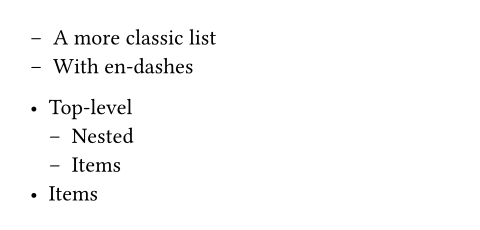
Instead of plain content, you can also pass an array with multiple markers that should be used for nested lists. If the list nesting depth exceeds the number of markers, the markers are cycled. For total control, you may pass a function that maps the list’s nesting depth (starting from 0) to a desired marker.
展开示例
#set list(marker: [--])
- A more classic list
- With en-dashes
#set list(marker: ([•], [--]))
- Top-level
- Nested
- Items
- Items
indent默认值:0pt
The indent of each item.
body-indent默认值:0.5em
The spacing between the marker and the body of each item.
spacing默认值:auto
The spacing between the items of the list.
If set to auto, uses paragraph leading for tight lists and paragraph spacing for wide (non-tight) lists.
marker-align默认值:end
Alignment to use for list markers.
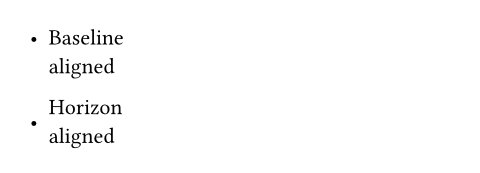
Vertical alignment is always relative to the height of the list items they are attached to. By default, it is unspecified, which means that each marker will vertically align with the baseline of the item it is attached to (which is usually its first line of text, or otherwise its top).
Horizontal alignment, on the other hand, is relative to other markers at the same list level. By default, it is set to end, meaning that markers line up towards the end of the current text direction (right for LTR, left for RTL text). However, since markers at each level are usually identical, it is expected that horizontal alignment has no actual effect, most of the time. Regardless, it is still possible for it to make a difference in some cases, particularly if markers use counters or other forms of state to display different content for each item.
展开示例
- Baseline \
aligned
#set list(marker-align: horizon)
- Horizon \
aligned
children
The bullet list’s children.
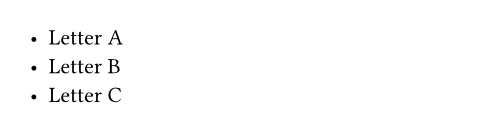
When using the list syntax, adjacent items are automatically collected into lists, even through constructs like for loops.
展开示例
#for letter in "ABC" [
- Letter #letter
]
定义
item元素0.4.0起可用
A bullet list item.
body
The item’s body.