footnote元素0.4.0起可用
A footnote.
Includes additional remarks and references on the same page with footnotes. A footnote will insert a superscript number that links to the note at the bottom of the page. Notes are numbered sequentially throughout your document and can break across multiple pages.
To customize the appearance of the entry in the footnote listing, see footnote.entry. The footnote itself is realized as a normal superscript, so you can use a set rule on the super function to customize it. You can also apply a show rule to customize only the footnote marker (superscript number) in the running text.
Example
Check the docs for more details.
#footnote[https://typst.app/docs]

The footnote automatically attaches itself to the preceding word, even if there is a space before it in the markup. To force space, you can use the string #" " or explicit horizontal spacing.
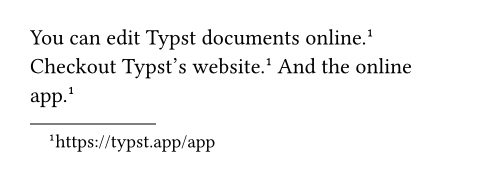
By giving a label to a footnote, you can have multiple references to it.
You can edit Typst documents online.
#footnote[https://typst.app/app] <fn>
Checkout Typst's website. @fn
And the online app. #footnote(<fn>)
Note: Set and show rules in the scope where footnote is called may not apply to the footnote’s content. See here for more information.
Accessibility
Footnotes will be read by Assistive Technology (AT) immediately after the spot in the text where they are referenced, just like how they appear in markup.
参数
numbering默认值:"1"
How to number footnotes. Accepts a numbering pattern or function taking a single number.
By default, the footnote numbering continues throughout your document. If you prefer per-page footnote numbering, you can reset the footnote counter in the page header. In the future, there might be a simpler way to achieve this.
 展开示例
展开示例
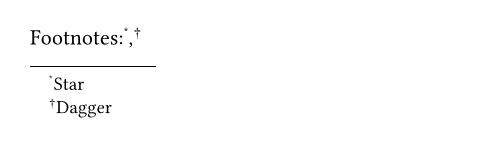
#set footnote(numbering: "*")
Footnotes:
#footnote[Star],
#footnote[Dagger]
body
The content to put into the footnote. Can also be the label of another footnote this one should point to.
定义
entry元素0.4.0起可用
An entry in a footnote list.
This function is not intended to be called directly. Instead, it is used in set and show rules to customize footnote listings.
展开示例
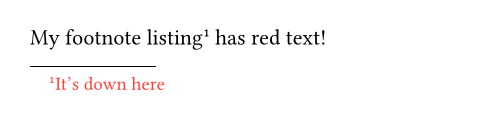
#show footnote.entry: set text(red)
My footnote listing
#footnote[It's down here]
has red text!
Note: Footnote entry properties must be uniform across each page run (a page run is a sequence of pages without an explicit pagebreak in between). For this reason, set and show rules for footnote entries should be defined before any page content, typically at the very start of the document.
note
The footnote for this entry. Its location can be used to determine the footnote counter state.
展开示例
#show footnote.entry: it => {
let loc = it.note.location()
counter(footnote).display(at: loc, "1: ")
it.note.body
}
Customized #footnote[Hello]
listing #footnote[World! 🌏]

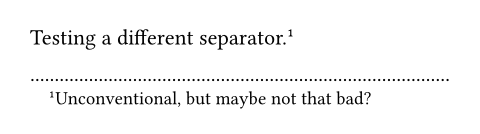
separator默认值:line(length: 30% + 0pt, stroke: 0.05em)
The separator between the document body and the footnote listing.
展开示例
#set footnote.entry(
separator: repeat[.]
)
Testing a different separator.
#footnote[
Unconventional, but maybe
not that bad?
]
clearance默认值:1em
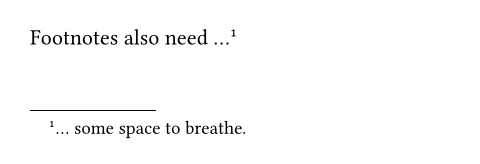
The amount of clearance between the document body and the separator.
展开示例
#set footnote.entry(clearance: 3em)
Footnotes also need ...
#footnote[
... some space to breathe.
]
gap默认值:0.5em
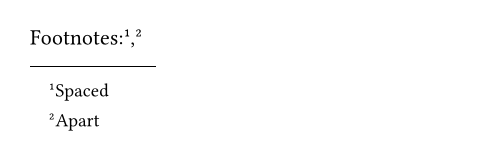
The gap between footnote entries.
展开示例
#set footnote.entry(gap: 0.8em)
Footnotes:
#footnote[Spaced],
#footnote[Apart]
indent默认值:1em
The indent of each footnote entry.
展开示例
#set footnote.entry(indent: 0em)
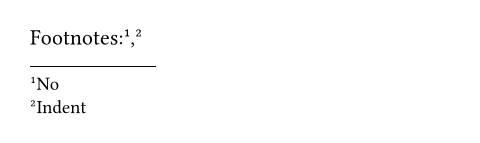
Footnotes:
#footnote[No],
#footnote[Indent]